 ClosersHQ
A call tracker app for your phone
Built for the phone in your hand.
Call, log the result and send your invite with one thumb. Works today in your phone’s browser; iPhone and Android apps are on the way.
Get started free
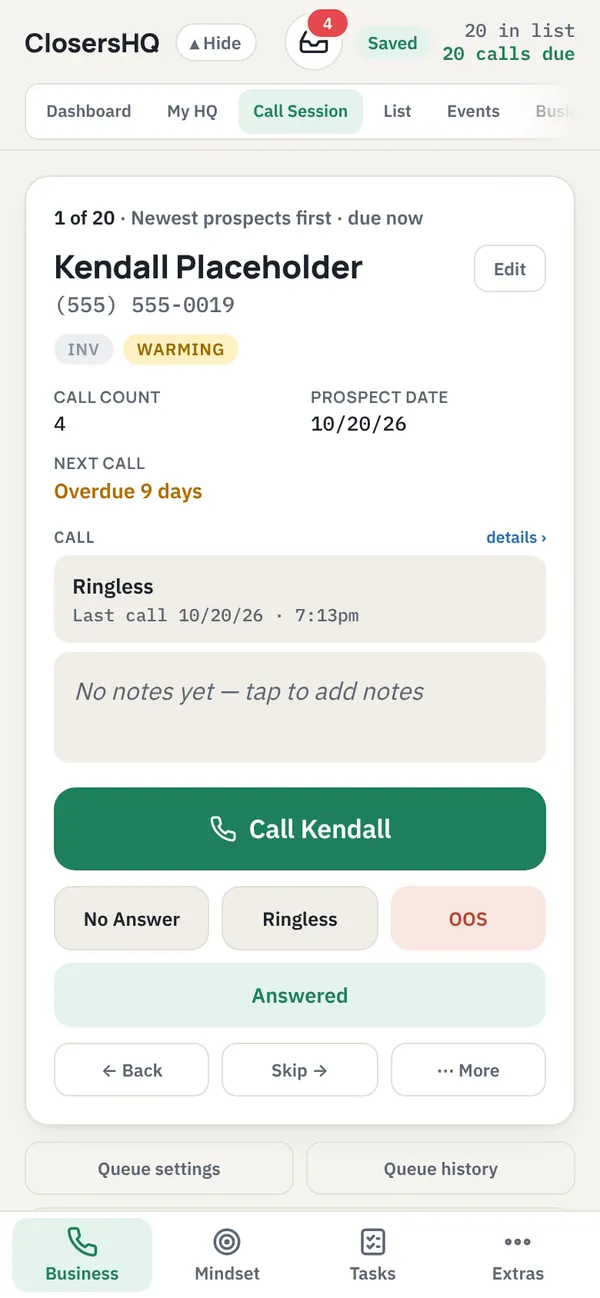
One thumb
Call, log it, next.
- The Call button and the four result buttons sit where your thumb is.
- Every editor opens as a full page, so nothing is cramped.
- Text is large enough that your phone never zooms in on a field.
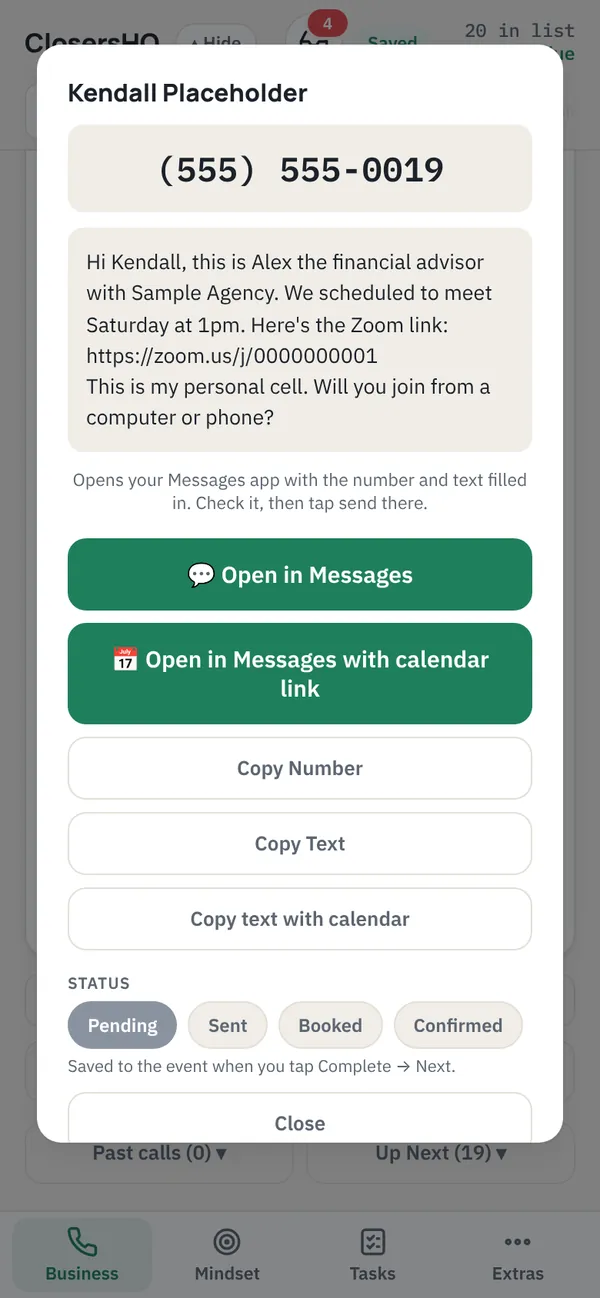
Your own Messages app
Invite them while they’re still on the line.
- “Open in Messages” fills in the number and your own words.
- Emails open in Gmail, Outlook or your phone’s mail app.
- You press send. Nothing is ever sent from ClosersHQ.
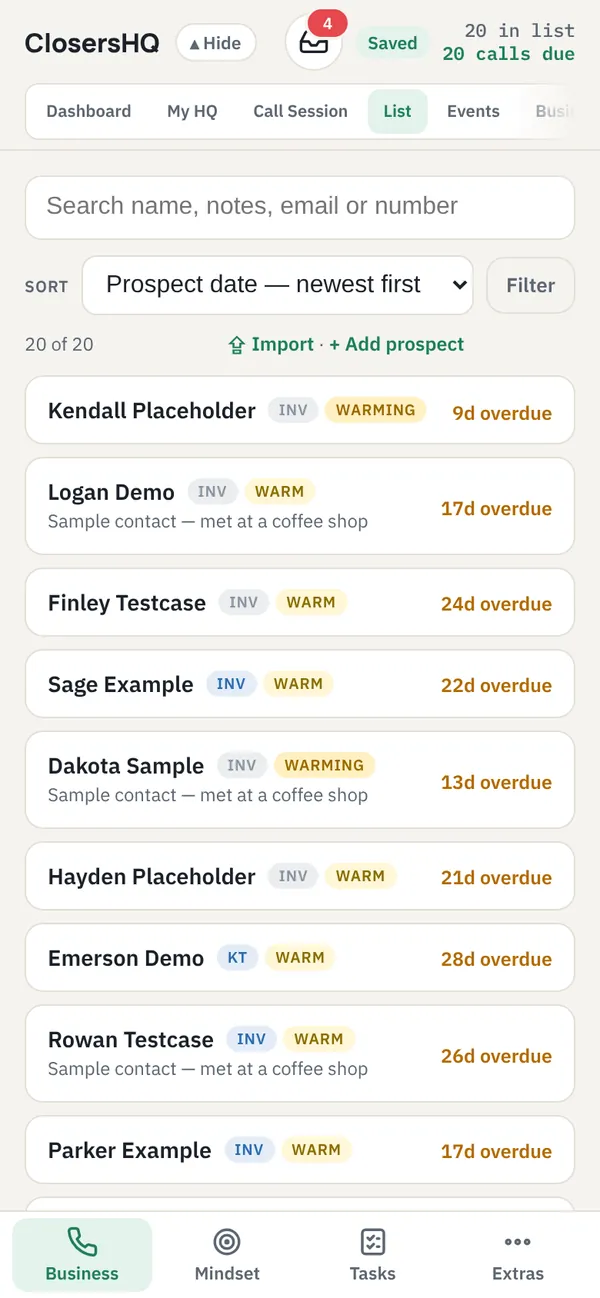
Automatic follow-ups
Every prospect gets a follow-up.
- Every call sets the next follow-up date by itself.
- A temperature label shows who is hot, warm or cooling off.
- The people who are due rise to the top, so your list sorts itself.
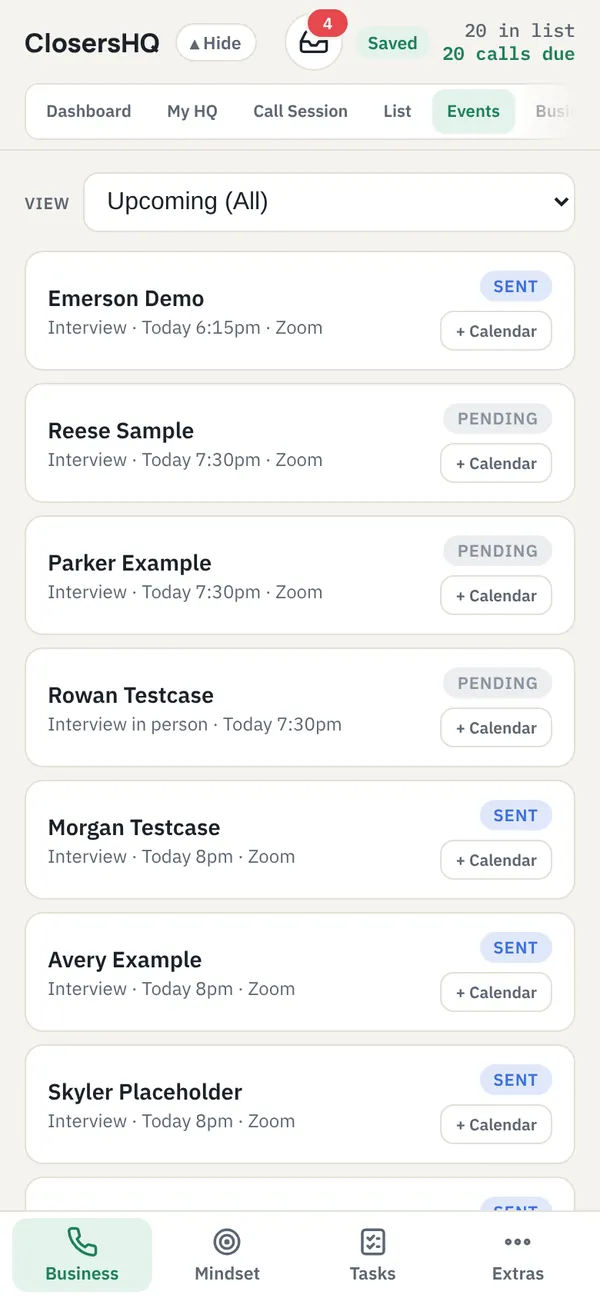
Events and reminders
Every meeting you booked, in order.
- Today’s meetings first, then what’s coming up, then the past.
- Send your own confirmation and reminder texts from your Messages app.
- Mark each meeting Attended or Missed, so every prospect’s history stays true.
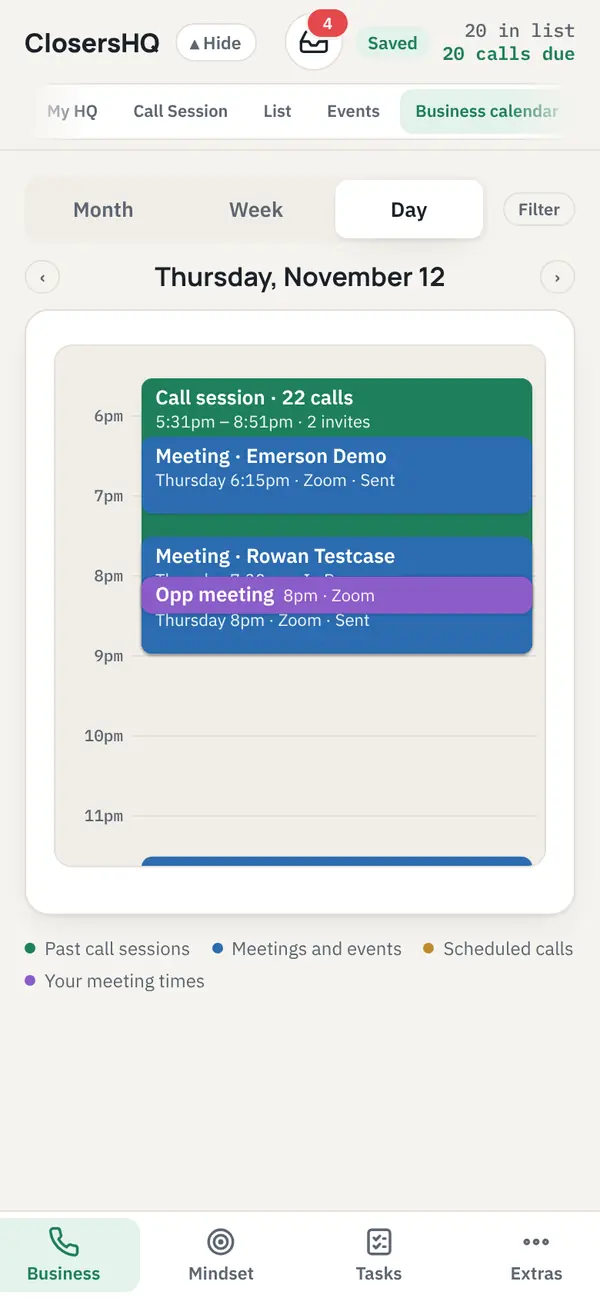
Calendars
Your day, hour by hour.
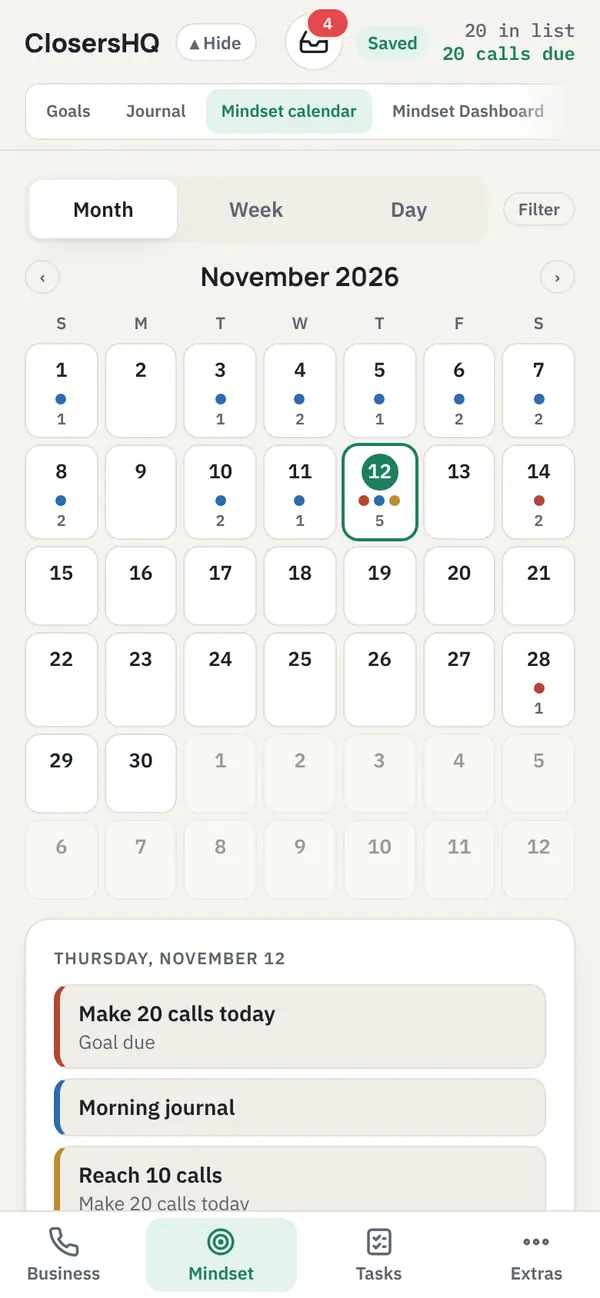
- Month, week and day views of calls, meetings and follow-ups.
- Add any meeting to Apple Calendar, Google Calendar or another calendar app.
- A separate Mindset calendar for goals and journal entries.
Between calls
Goals and journal in your pocket.
- Swipe left and right to move between tabs.
- Turn the phone sideways for dashboards in columns.
- Themes, dark mode and your own background photo.
Getting it
Use it today. Apps are on the way.
Open closershq.net in Safari or Chrome on your phone and sign in. Add it to your Home Screen and it opens like an app. The iPhone and Android apps are being prepared for the App Store and Google Play.
Questions
Is there an iPhone or Android app?
The store apps are on the way. Today it runs in your phone’s browser and on a computer, and you can add it to your home screen so it opens like an app.
Does the app place the call?
No. On a phone the Call button opens your phone’s own dialler with the number filled in, and you press call. The app then waits for you to tap what happened.
How are follow-ups set?
By the result you tap. No Answer adds a day to that person’s follow-up days and books the next call that many days out. After an answered call you choose the follow-up days yourself. How follow-up days work.
Can I add a meeting to my phone’s calendar?
Yes. Any meeting can be added to Apple Calendar, Google Calendar or another calendar app from the app.
Your next call is waiting.
Enter your email, get a code, and you’re in. New here or coming back, it’s the same button.
Sign in or get started